Your App Store reviews, in every language your users write them.
Connect your app in the storefronts you sell in. Every written review arrives in one inbox with its title, stars and date, waits for your approval, then goes on the page that speaks its language.
The automatic import is on Business. Adding an App Store review by hand or from a screenshot is free on every plan.
An App Store widget on Quillfin's website, in four languages
 Quillfin
What people say on the App Store
This widget shows the reviews of one connection: Quillfin (US)
The App Store keeps a separate set of reviews in every country.
A review written in Germany lives in the German storefront, and Apple shows each storefront its own rating. Connect your app once for each country you care about, from 41 storefronts. Business
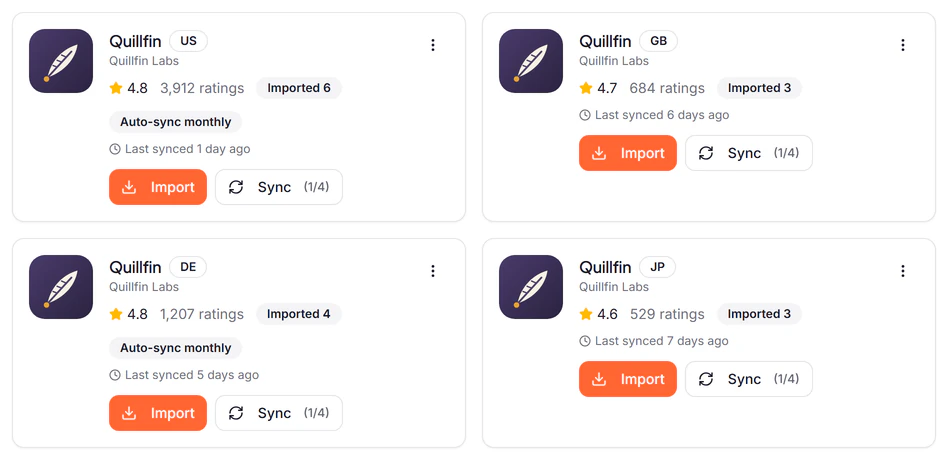
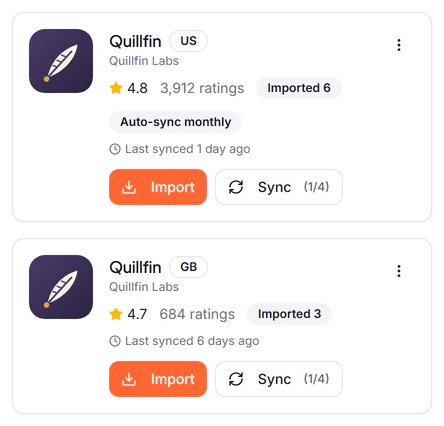
The 41 storefronts you can connect
- USUnited States (Quillfin is connected here)
- GBUnited Kingdom (Quillfin is connected here)
- CACanada
- AUAustralia
- NZNew Zealand
- IEIreland
- DEGermany (Quillfin is connected here)
- FRFrance
- ESSpain
- ITItaly
- NLNetherlands
- BEBelgium
- ATAustria
- CHSwitzerland
- SESweden
- NONorway
- DKDenmark
- FIFinland
- PLPoland
- PTPortugal
- CZCzechia
- JPJapan (Quillfin is connected here)
- KRSouth Korea
- CNChina mainland
- HKHong Kong
- TWTaiwan
- SGSingapore
- INIndia
- BRBrazil
- MXMexico
- ARArgentina
- AEUnited Arab Emirates
- SASaudi Arabia
- ZASouth Africa
- TRTürkiye
- IDIndonesia
- MYMalaysia
- THThailand
- VNVietnam
- PHPhilippines
- LKSri Lanka
Dark: the four Quillfin is connected in.
- Five connections per project
- Each is one app in one storefront: one app in five countries, or five apps in one.
- About the newest 500 in each
- Apple makes about the 500 newest reviews of each storefront available. Each import reaches further back, until they're all in.
- One allowance
- 1,000 reviews and four syncs a month, shared by all the project's connections.
The title, the stars and the words, exactly as they were written.
Each review comes in with its title, its stars, the reviewer's nickname and the date. Your site shows the review. Your team also sees the app version it was written on and the storefront it came from.
On your site
- The review's title and words
- The stars and the date
- The reviewer's nickname, as the App Store shows it
- A link to the App Store, when you switch on review links
In your dashboard
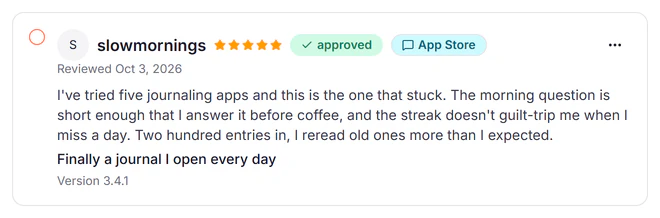
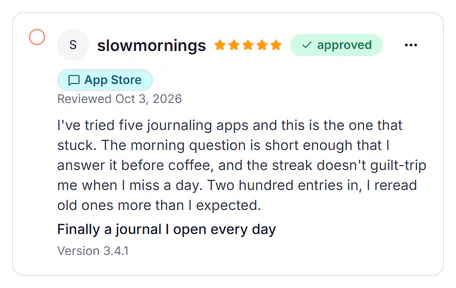
- The app version the review was written on
- Its storefront, such as “Quillfin (DE)”, to filter the inbox by
- Apple shows no reviewer photos, so a card shows the nickname's initial, or a fallback picture you choose.
- A rating with no written review isn't imported: there's nothing to show.
- A review is never imported twice into a project, even if you disconnect the app and connect it again.
Set it up once.
Pick a storefront, find your app and choose how many reviews to bring in. No Apple sign-in, no API key and nothing to install. Business
Connect your app
Choose the storefront, then search for your app by name, or paste its App Store link or its numeric ID. Connect it again with another storefront for another country's reviews.
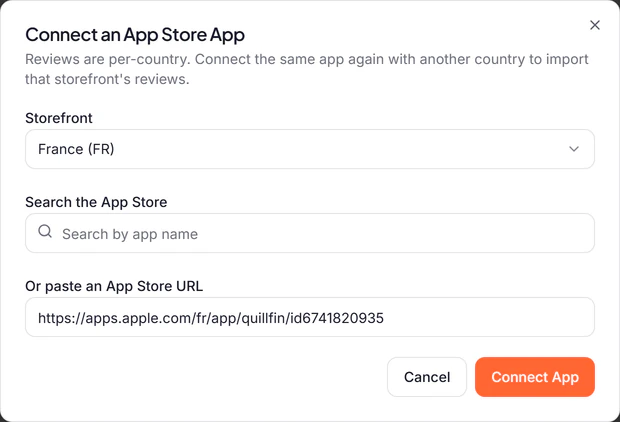
Connecting the app in one more country: paste its App Store link and the storefront follows it, here France. Choose how many reviews
Bring in up to 100 reviews at a time, newest first, and 1,000 a month per project. An import runs as soon as you start it.
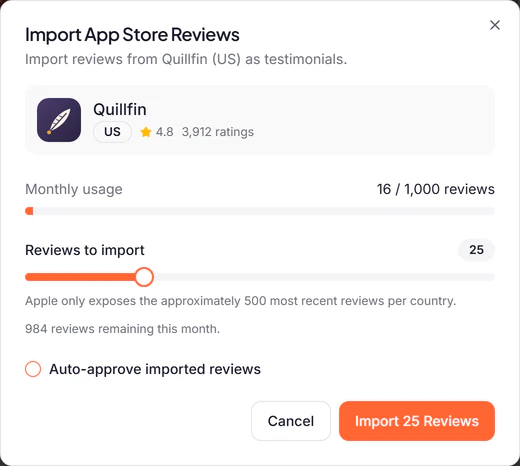
An import: how many reviews, the month's usage, and whether to approve them all at once. Approve the ones to show
Imported reviews wait in Pending until you approve them, one at a time or all together. Or tick Auto-approve when you import and skip this step.
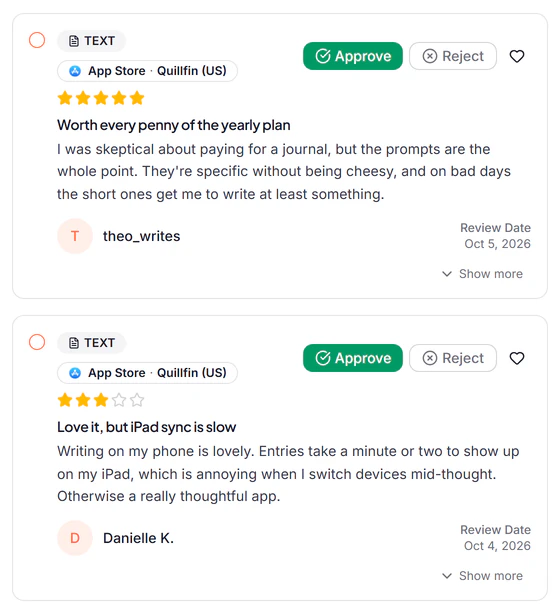
App Store reviews waiting in Pending, each with Approve and Reject beside it. 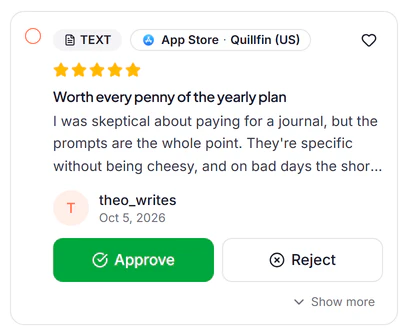
App Store reviews waiting in Pending, each with Approve and Reject beside it.
Then pick a widget style and paste its code into Webflow, WordPress, Framer, Squarespace, Wix, Shopify or any HTML page. Try the styles
New reviews every month, once you switch it on.
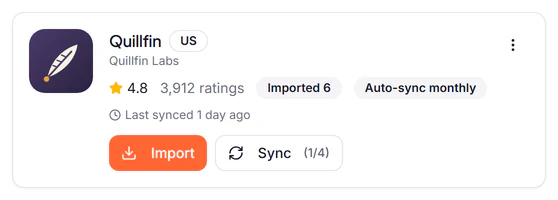
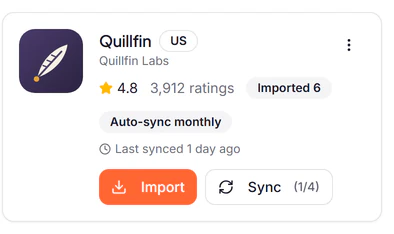
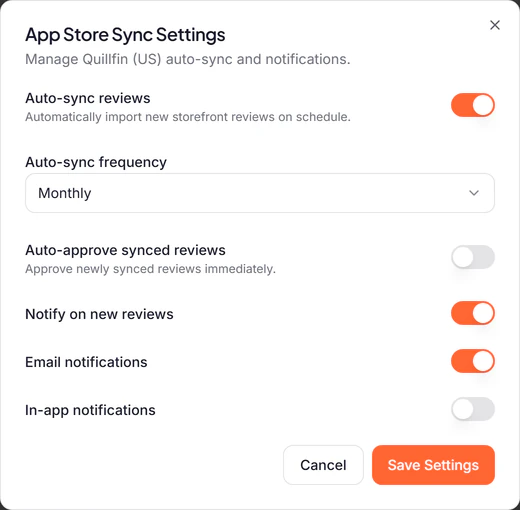
Switch on auto-sync and each connection is checked every month for reviews newer than the ones you have. After a release goes out, press Sync.
- Where they land
- In Pending, or straight in Approved if you switch on auto-approve for synced reviews.
- Who hears about it
- The workspace owner gets an email when new reviews arrive. In-app notifications are one switch away.
- Sync now
- Bring in up to 50 new reviews whenever you need, four times a month per project. A sync that fails doesn't count.
- Apple's rating, kept current
- The app card shows the rating Apple shows in that storefront, read again on every import and sync.
- Every storefront
- Each connection keeps its own sync settings, so a busy storefront can sync while a quiet one waits.
- Your own tools
- A webhook can send each new review to an address you choose once it's imported, with the endpoint's review sync events turned on.
Show each country the reviews written in its language.
A widget can show the reviews of one connection, such as Quillfin (DE), so your German page shows the German storefront's reviews in German. With Proof Match, one widget can do it for every page: a rule per page, such as everything under /de/, picks that storefront's reviews.
The widget's own words can follow the page too. Set them for each language, and the German page reads “Mehr lesen” and “vor 6 Tagen” where the English one reads “Read more” and “6 days ago”.
And when you turn a review into a social video, its card can say “4.8 ★ on the App Store · 3,912 ratings · as of Oct 2026”: the rating Apple shows, and when it was read. On every plan
Not on Business? Add reviews one at a time.
Add an App Store review by hand, or paste a screenshot of it and let ReTestimonial fill in the reviewer, the stars and the words for you to check. Both are free on every plan, and G2 and Google reviews come in on every plan too, from Free.
Pick a look. It's the real widget.
Each style below is drawn by the same code that runs on your site, with Quillfin's approved reviews from its US and UK storefronts. Choose from 64 styles and match your colours.
Masonry Grid
Free publishes 31 of the styles, the carousels, grids, badges and video layouts; all 64 come with Pro. These colours are free on every plan. Any other colour, and removing the ReTestimonial badge, come with Pro. A summary's score is the average of the reviews in the widget, not your App Store rating. See every widget style
Start on any plan. Import automatically on Business.
Every plan
Free to start
- Add an App Store review by hand, or from a screenshot of it
- Show reviews on a Wall of Love page and in 31 widget styles, all 64 from Pro
- Room for 10 testimonials on Free, and more on paid plans
Business
$79 a month per active project
- Five connections per project: one app in one storefront each
- 41 storefronts to choose from
- Up to 100 reviews per import, 1,000 a month per project
- Auto-sync every month, plus Sync four times a month per project
- An email when new reviews arrive
Monthly prices. Limits are per project, and paid plans are priced per active project. Compare every plan
Questions
Which storefronts can I connect?
Any of 41 of the App Store's storefronts, from the United States, the United Kingdom and Germany to Japan, Brazil and India. Each storefront has its own reviews, so you connect an app once for each country you want to bring in.
Can I connect one app in several countries?
Yes. Each app and storefront is a connection, and a project has five. Reviews keep their storefront, so your German and your US reviews stay apart in your inbox, and a widget can show one storefront's reviews.
How many reviews can I reach?
About the newest 500 written reviews in each storefront: that's what Apple makes available. An import brings up to 100 at a time, and the next one reaches further back, until they're all in.
What comes with each review?
The title, the review's words, the stars, the reviewer's nickname and the date, with a link to the App Store. Your dashboard also shows the app version it was written on and its storefront. Apple shows no reviewer photos, so there are none to import.
Do reviews go on my site straight away?
No. They wait in Pending until you approve them, unless you tick Auto-approve when you import, or switch on auto-approve for synced reviews.
How do new reviews get in?
Switch on auto-sync and each connection is checked every month, or press Sync up to four times a month per project. Each sync brings up to 50 of the newest reviews, and a review is never imported twice, even if you disconnect and reconnect.
What does Apple say about using reviews in marketing?
Apple's developer guidance says you may use your app's rating in marketing as long as it accurately reflects your app's current rating, and that a customer's review may be used in marketing materials with the reviewer's permission. Nothing you import is shown until you approve it, so you decide which reviews appear and where. Check Apple's current guidance on its "Ratings, reviews, and responses" page.
Does a widget show my App Store rating?
No. A rating badge or review summary shows the average of the reviews in that widget, which isn't your App Store rating. Your dashboard shows the rating Apple shows in each storefront, and a social video can quote it with the date it was read.
Will imported reviews show stars in Google search?
No. Google asks sites not to mark up reviews taken from other websites, so ReTestimonial leaves imported reviews out of review markup.
Is it on my plan?
The automatic import, with sync and auto-sync, is on Business. On every plan you can add an App Store review by hand or from a screenshot.
Is ReTestimonial affiliated with Apple?
No. ReTestimonial is an independent product, not affiliated with, sponsored or endorsed by Apple.
Apple's guidance: Ratings, reviews, and responses
Your users already wrote the pitch. In every language.
The automatic import is on Business. Adding an App Store review by hand or from a screenshot is free on every plan.
App Store is a service mark of Apple Inc., registered in the U.S. and other countries and regions. ReTestimonial is not affiliated with, sponsored or endorsed by Apple.