Review and testimonial software for local businesses
Your best reviews, right where people book.
Find your business and see your Google reviews in a widget for your website, here, before you sign up. Then ask every customer for the next one: a card on the counter, a link on the invoice, an email after the visit.
Free: 1 Google listing, up to 10 reviews on a widget, no card.
Fernwick Coffee
Three cafés in York. Coffee roasted down the road, bakes from our own oven.
Fernwick Coffee and its reviewers are made up; the widget is ReTestimonial's own, in the colours every plan can publish. The reviews you load with “Find your business” are that business's real public Google reviews.
Ask everyone, where they already are.
Most happy customers mean to say something and forget. Put the ask where they stand: on the counter, on the mirror, on the invoice, and in the email after the visit. The same card goes to every customer.
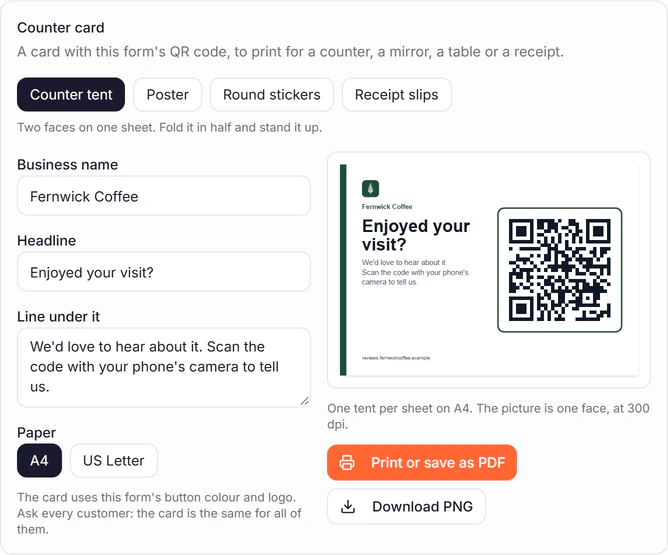
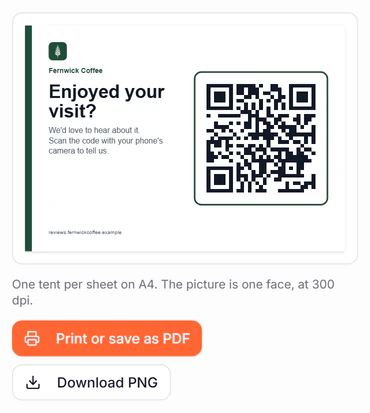
Two faces on one sheet. Fold it in half and stand it up.
Scan the code with your phone. You'll see what your customers see when they scan your card.

In your dashboard, under your form's QR code
Share & embed has the same card, drawn by the same code: your logo, your form's button colour, your words. A counter tent, a poster, round stickers or receipt slips, on A4 or US Letter. Print it or save it as a PDF, or download one piece as a picture for your invoice template. On every plan.
The address under the code is your form's link: ours, or your own domain from Pro, as on Fernwick's card. Print a counter card
Salons and barbers
On the mirror, where they see the result, and at the desk where they pay.
Cafés and restaurants
On the counter and the table, and as a slip with the receipt.
Trades and home services
On the invoice, the job sheet and the van, as a slip or a picture in your invoice template.
Clinics and studios
At the front desk, and as the link in your follow-up email.
The email after the visit Premium+
Smart Invites email the ask, then up to two reminders, 3 and 7 days later, and stop when the customer answers. Load a list of your regulars, or connect your till or job software:
- Shopify POS asks the customers of in-store sales the day after their visit.
- Housecall Pro asks each customer once their job is marked complete.
- Anything that sends a webhook works through the Custom webhook.
Most salon and clinic booking systems don't send a webhook with the customer's email, so the card and a list of regulars do that job. A customer is asked once in 90 days. 500 people a month per project on Premium and 1,000 people a month per project on Business. Set it up from Housecall Pro
No texts from us
ReTestimonial doesn't text your customers. Copy your form's link into the messages you already send, or print its QR code: both on every plan, on your own address from Pro.
Answered on their phone, in their own words.
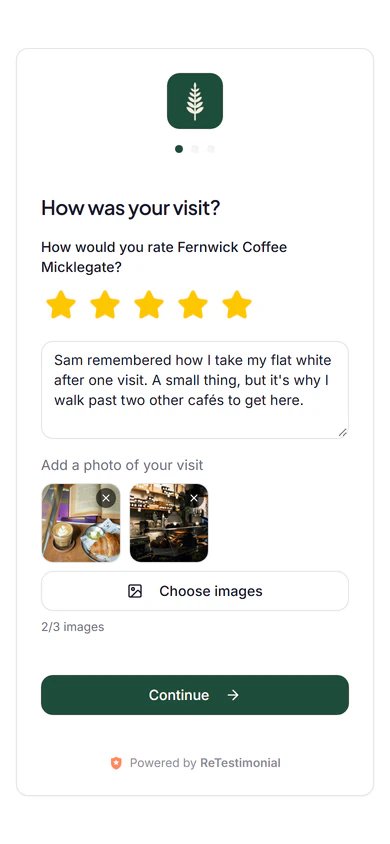
Scanning the card opens your form in the phone's browser: no app, no account.
- Video or writing, their choice
- Recorded in the browser, or written instead. You set each question's longest answer, up to 2 minutes on Free and Pro, 3 on Premium and 5 on Business.
- The before and after
- Up to 3 photos with an answer, on every plan: the cut, the kitchen, the garden.
- Who looked after them
- A choice question names the person, and the answer shows with the testimonial in your inbox, so you can thank them and tag it. Staff shout-outs belong on your own form: Google asks businesses not to request reviews that name staff.
- Their permission, kept
- The Consent page is on by default, and the sentence each customer agreed to is kept with their answer.
- You approve first
- Every answer arrives in your inbox as Pending.
Everyone gets the same last page.
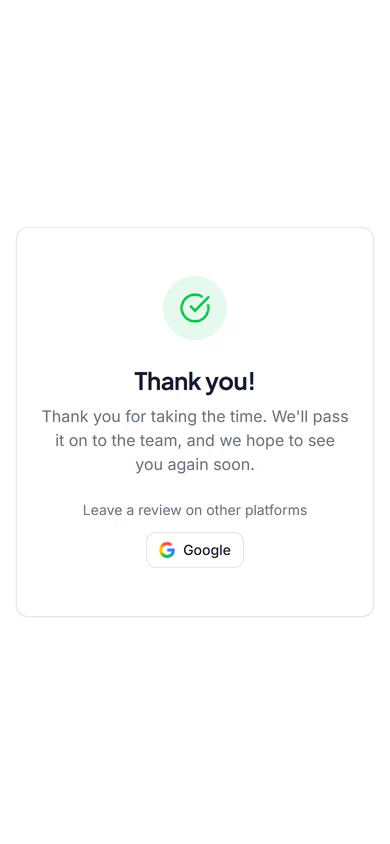
A rating of 3 stars or less opens a private page first, so the team hears it before anyone else. Then every customer, whatever they gave, ends on the same Thank You page, with your Google review button on it.
- then the Thank You page
- then the Thank You page
- then the private page "We're sorry to hear that", then the Thank You page
- then the private page "We're sorry to hear that", then the Thank You page
- then the private page "We're sorry to hear that", then the Thank You page
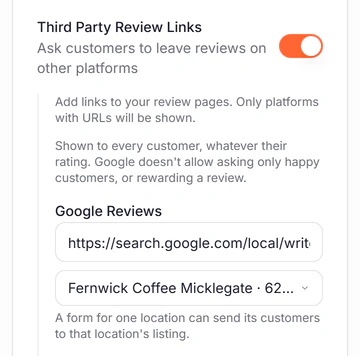
Use my Google listing fills in the link from the listing you connected. A reward for the testimonial, from Pro, never depends on the rating and is never for a Google review: beside one, the review buttons say “Optional. Nothing you received today depends on it.” Who sees the review buttons
And the reviews you've already earned.
Connect your Google listing and its reviews come into your inbox, ready to show. Each location's listing can tag its own, so each location's page shows its own.
Connect each listing
A Google listing per location: 1 on Free, 3 on Pro, 10 on Premium and no limit on Business.
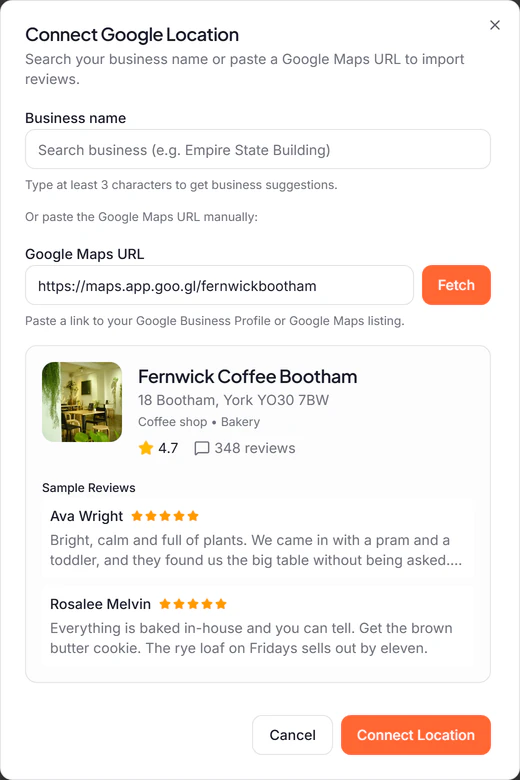
Bring the reviews in
They arrive as Pending, or straight to Approved if you say so, with the reviewer's name, photo and words. A minimum rating for what comes in starts on Pro.
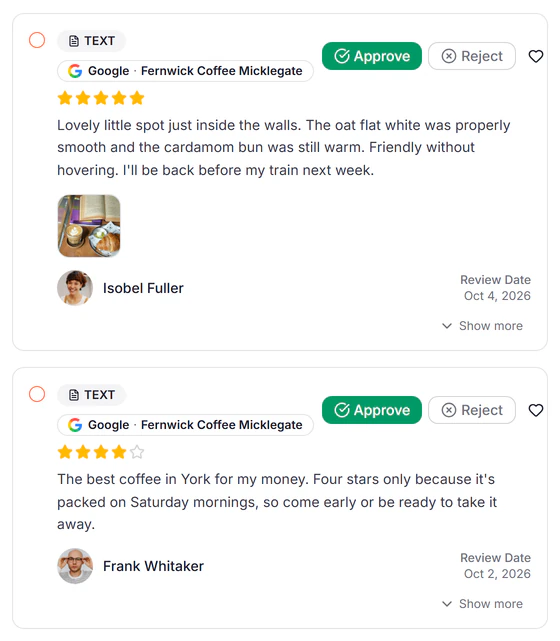
Keep them fresh
By hand on Free (1 sync a month), every month from Pro, every week on Business. Up to 5 tags per listing go on every review it brings.
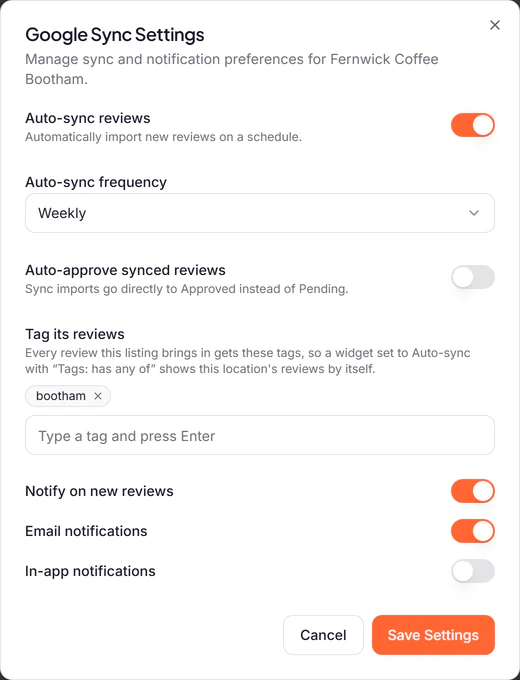
The praise that never reached Google
- Customers without a Google account answer your counter card, and their words sit beside Google's in the same widget.
- The kind text a customer sent you becomes a testimonial with Extract from screenshot, on every plan: an AI reading, and the picture isn't kept.
- A note in the visitors' book goes in by hand, with the customer's yes.
- Yelp reviews come in on Business, up to 5 businesses, with “via Yelp” and a link. Yelp asks businesses never to request reviews, so ask for a testimonial on your own form instead.
- A review on any page comes in with the browser extension.
Beside the Book button, on every page that sells.
One widget per page, filled by itself: each location's page shows the reviews its listing and its counter card brought in. Pick a page.
Coffee, bakes and a warm room, three times over.
This widget's settingAuto-sync · every approved review
The newest 9: 4 from Google, 5 from the counter cards.
The widget is the product's own, filled the way Auto-sync's “Tags: has any of” fills it, on every plan. Tag testimonials as they arrive
- On any website builder
- Step-by-step guides for Wix, Squarespace, WordPress, Shopify, Webflow and Framer. Paste the code once; no developer.
- 8 widget types
- 4 on Free, all from Pro; 31 widget styles, all 64 from Pro. A badge's average counts the reviews on that widget, so it never claims more.
- A Wall of Love
- A page of all your reviews for the link in your bio or the QR on the menu, on your own address from Pro.
- A page per review
- Every approved testimonial has its own share page, on every plan: a link to send the customer, or to print.
- Know it's working
- Every plan sees the pages a widget was last seen on; how many people saw it, from Pro.
- Your words, not ours
- Widgets carry a small ReTestimonial line on Free; from Pro, you can take it off.
Something true to post this week.
A customer's words make a better post than anything you'd write about yourself.
- Images
- 22 designs that turn a review into a square post, a story or a banner, on every plan; with a small watermark on Free.
- Video clips Pro+
- A customer's video becomes a captioned clip in all four shapes, in your colours, from Pro. On Free, written reviews become 1:1 clips with a watermark, 3 a month.
- Several reviews in one
- Review Stack puts three to five written reviews in one clip Pro+, Customer Montage two to four customers on video Premium+.
You download it and post it where you like. Nothing posts for you.

A customer's video as a 9:16 clip, captioned, from Pro. Sample footage of a real person.
Ask everyone. Reward no one for a Google review. Keep the permission.
The rules on reviews are close for a local business, and few owners know them. These are the ones that matter, from the places that set them.
Google
Ask every customer, with a link or a QR code, never only the happy ones. No discount, gift or draw for a Google review, and don't ask for reviews that name a member of staff. Google's policy
The FTC (US)
No fake reviews. Reviews from staff and family say so. Don't hide low ratings and present the rest as all your reviews. A reward never depends on what the customer says. The FTC's rule
Yelp
Don't ask anyone for a Yelp review, not even happy customers. You may show the ones you have, with their name, date and a link. Yelp's guidance
Clinics and practices
A patient's written permission before you publish their words (in the US, a HIPAA authorisation), any wording your board asks for, and never a reply that confirms someone is a patient. 45 CFR 164.508
The UK
Fake reviews, hidden incentives and showing only the good ones in a misleading way are banned since 6 April 2025. The announcement
Stars in search
Google shows no review stars for a local business marking up reviews of itself, through any widget or tool. Your Google rating shows on your Business Profile. Google Search Central
What the product holds to, in its code:
- Your form's review buttons go to every customer, whatever their rating.
- A reward never depends on the rating.
- The sentence each customer agreed to is kept with their answer.
- Submissions that look like spam wait in a queue of their own.
This isn't legal advice. You decide what you publish.
One location or twelve.
Every paid plan is priced per project. Count your locations and see both ways to set them up.
| Feature | Free$0 | Pro$29/mo | Premium$49/mo | Business$79/mo |
|---|---|---|---|---|
| Google listings per project | 1 | 3 | 10 | Unlimited |
| Google reviews brought in a month | 25 | 100 | 300 | 1,000 |
| Automatic Google sync | – | Monthly | Monthly | Weekly |
| Choose a minimum rating | – | |||
| Yelp businesses | – | – | – | 5 |
| Written testimonials | 10 in all | Unlimited | Unlimited | Unlimited |
| Forms per project | 1 | 3 | 5 | Unlimited |
| Counter cards and QR codes | ||||
| “Leave a review on Google” after the form | – | |||
| Rewards for a testimonial | – | |||
| Custom fields | – | 2 | 5 | 5 |
| Widgets per project | 2 | 10 | 20 | Unlimited |
| Testimonials on a live widget | 10 | 50 | Unlimited | Unlimited |
| Your own address for forms and walls | – | |||
| Smart Invites, people a month per project | – | – | 500 | 1,000 |
| Social video shapes | 1:1 | All 4 | All 4 | All 4 |
| Captions on video clips | – | |||
| No ReTestimonial line on widgets | – |
Monthly prices, per active project; a year costs ten months. No setup fee. Every plan: forms with video, the counter card, the inbox, tags, auto-sync widgets, the Wall of Love, share pages and the CSV export. See every plan
Questions local businesses ask
Will this get me more Google reviews?
ReTestimonial can't write to Google, and nothing should do it for your customers. What it does: the counter card puts the ask in front of everyone, and from Pro your form's last page sends every customer on to your Google page, whatever their rating, which is how Google wants businesses to ask. What they write there is theirs.
Can my reviews show stars in Google's search results?
Not for a business's own reviews. Since 2019 Google hasn't shown review stars for a local business marking up reviews of itself, through any widget or tool. We don't sell them; your Google Business Profile shows your Google rating in search and Maps.
Do my customers need an app or an account?
No. The form opens in their phone's browser, camera included. They write a few lines or record a video, add up to 3 photos if they like, and they're done.
Can you text my customers?
No. In the US, texting customers needs their written consent and a registered number, so we leave it out. Use the counter card, put the form's link in your own messages, or send an email after the visit with Smart Invites, on Premium and up.
I have several locations. What do I need?
Usually one project: connect each location's Google listing (1 on Free, 3 on Pro, 10 on Premium and no limit on Business), give each location its own form and counter card, and tag each one's reviews, so each location's page shows its own. A project per location suits locations with their own website or manager. The helper above prices both.
Does it work with my booking or till system?
Shopify POS and Housecall Pro have ready-made Smart Invites, on Premium and up, and any system that can send a webhook works through the Custom webhook. Most salon, clinic and booking apps can't send one with the customer's email, so the counter card and a list of regulars do that job.
What about bad reviews?
On your own form, a rating of 3 stars or less opens a private page first, so you hear about it before anyone else. Your form's last page still offers Google to everyone. On your site you choose what to show; just don't present a selection as all of your reviews.
I run a clinic. Can I show patient testimonials?
With the patient's written permission (in the US, a HIPAA authorisation), and with any wording your board asks for. Your form's Consent page keeps the exact sentence each patient agreed to, beside their answer. Never confirm someone is a patient in a reply. This isn't legal advice.
Is Yelp included?
Bringing in your Yelp reviews is on Business, for up to 5 businesses. Yelp asks businesses never to request reviews, so we don't help you ask for them: the counter card asks for a testimonial on your own form.
What does the free plan hold?
One project with 1 Google listing, 10 written and 2 video testimonials in all, 1 form with its link, QR code and counter card, 2 widgets and a Wall of Love, with up to 10 testimonials on a widget. No card. Paid plans are priced per project.
Put the first card on the counter today.
See your Google reviews in a widget now, then print your card when you sign up. It's free to start.