TEXT Product Hunt
Upvoted, signed up, and planned my whole launch week in Driftlane before lunch. The checklist template is exactly the list I keep rewriting.
 Kyla ClayIndie makerOct 6
Bulk actions
Filter your inbox, select every match, not only what's on screen, and approve, reject, tag, archive, add to a Wall of Love or delete them together. Each one is handled exactly as if you'd clicked it yourself.
Bulk actions are on the free plan too, with 10 text and 2 video testimonials. No credit card.
Pending
Review and approve incoming testimonials
Product HuntisAll productsProduct HuntUpvoted, signed up, and planned my whole launch week in Driftlane before lunch. The checklist template is exactly the list I keep rewriting.
Kyla ClayIndie makerOct 6Product HuntThe GitHub sync works the way I hoped: a merged pull request closes the task and the board updates itself. No extra clicks for engineers.
 Zaid SchwartzDeveloper at HatchpointOct 6Product Hunt
I run four client projects at once. Driftlane is the first tool where each client gets their own view and I still see everything in one place.
 Koray OkumusIndependent consultantOct 6Product Hunt
Keyboard shortcuts for everything. I haven't touched my mouse to move a card all evening.
 Cameron YangIndie developerOct 6Product Hunt
Congrats on the launch! Switched from a spreadsheet roadmap today. My co-founder said it was the first plan he actually read.
 Luqman AnthonySolo founderOct 6Product Hunt
Clean, quick and not trying to be a wiki. The dependency view alone is worth the upvote.
 Rayhan ZuaIndie developerOct 6Product Hunt
We imported two boards from our old tool in about ten minutes. Labels, due dates and assignees all came across.
 Nicolas WangEngineer at LayersOct 6Product Hunt
Rolled it out to a team of twelve on launch day. Nobody asked how it works, which is the best review I can give.
 Eduard FranzCTOOct 6Product Hunt
The weekly digest is brilliant. My clients get one readable email instead of five status calls.
 Benedict DohertyIndependent consultantOct 6Product Hunt
Finally a project tool that looks good enough to show clients. The portal view made my last handover painless.
 Albert DeraFreelance designerOct 5Product Hunt
We plan every community event in Driftlane now. Volunteers see their tasks without needing a tour of the app.
 Lily-Rose ChedjouCommunity Lead at Kindred CircleOct 5Product Hunt
I plan a year of newsletter issues on the timeline. Moving one date shifts everything after it, which saved me a Sunday.
 Natali CraigNewsletter creatorOct 5Product Hunt
Brand launches have a lot of moving parts. The launch template had every step we usually forget.
 Jaya WillisBrand strategistOct 5Product Hunt
Using it to run a twelve-week cohort. Students check off modules and I see who is falling behind at a glance.
 Owen GarciaBootcamp instructorOct 5Product Hunt
My video pipeline, from script to publish, lives on one board now. Upvoted with both hands.
 Levi RochaContent creatorOct 5Product Hunt
Flat pricing for small teams is a breath of fresh air. Added two freelancers and the bill stayed the same.
 Zaynab DonnellyBrand designerOct 5Product Hunt
The roadmap view is the one I'll put in front of leadership. It answers "when" without a meeting.
 Katherine MossContent strategistOct 5Product Hunt
Simple enough that I set it up between two client calls. Every project template I needed was already there.
 Eve LeroyFreelance copywriterOct 5Product Hunt
Support replied within minutes during the launch rush. That says a lot about the team behind it.
 Elena OwensCommunity managerOct 5Product Hunt
I launched my last course with sticky notes and panic. This time I used Driftlane and shipped a day early.
 Blake RileyCourse creatorOct 5
A copy of the inbox, filled with Driftlane's made-up launch week. Nothing here is saved or sent.
It appears the moment you tick a card and stays above the list while you scroll. When more testimonials match than have loaded, Select all takes every one of them, and the bar says so.
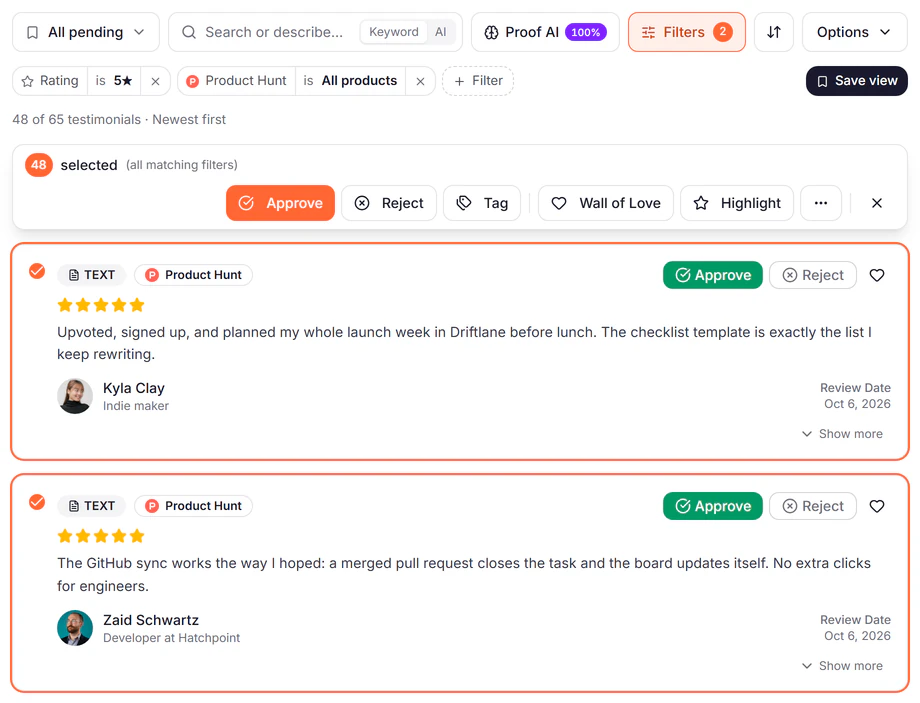
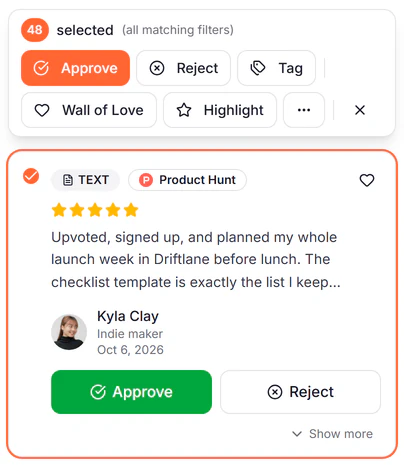
Every bulk job is the same three steps. The filters you already use in the inbox decide what's in the selection, so the jobs you put off for an afternoon take a minute.
Approve every five-star review from your Product Hunt launch.
Every match is approved, not only the first page.
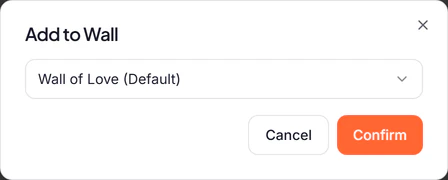
Put your best G2 reviews on the wall your site embeds.
Added to the page you pick; the picker opens on your default page.
Put last month's video testimonials at the top of your wall.
They lead the wall's Featured group.
Take reviews of a plan you no longer sell off your site, and keep them.
Archived with their tags. Restore brings them back.
Tag the week's reviews so a widget can pick them up later.
An auto-sync widget with that tag shows them once they're approved.
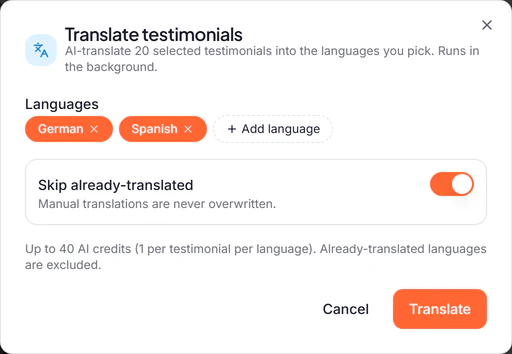
Translate your best reviews into German and Spanish.
Up to 200 testimonials and 10 languages a run, in the background.
The first one is the demo at the top of this page. Run it there
Your backlog is three clicks from empty.
Start free — no cardA bulk action isn't a shortcut around your settings. Every testimonial in it goes through the same steps a single click takes.
Adding to a Wall of Love works the same way: customers who sent theirs through your form can be told they're on your wall, one email each, while that setting is on.
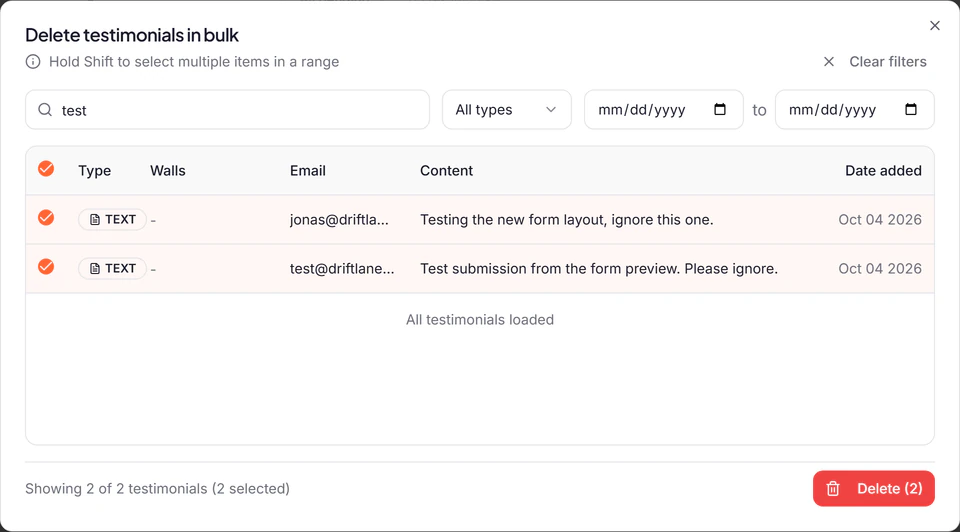
The owner and Admins get a table built for clearing out: its own search, type and date filters, a Walls column that shows which wall each testimonial is on, Shift-click to take a range, and one action, Delete, with a confirmation.
Find it under Options → Bulk delete.
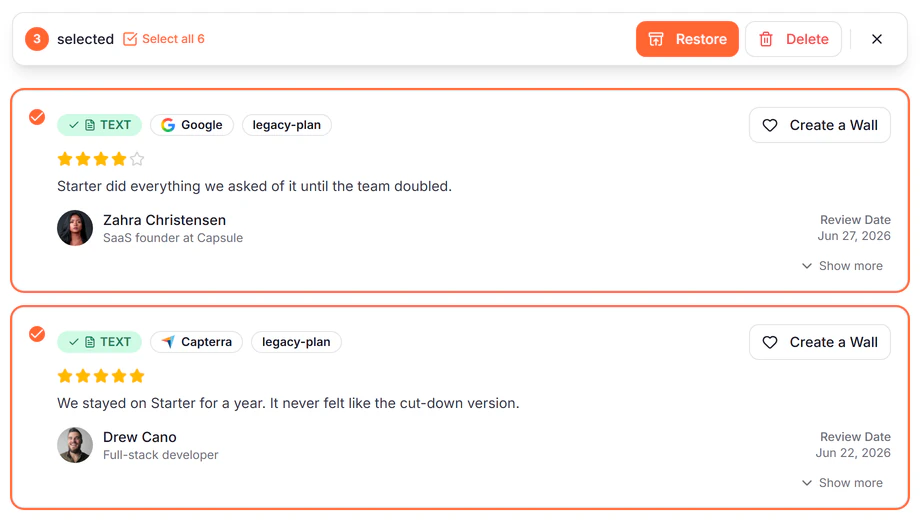
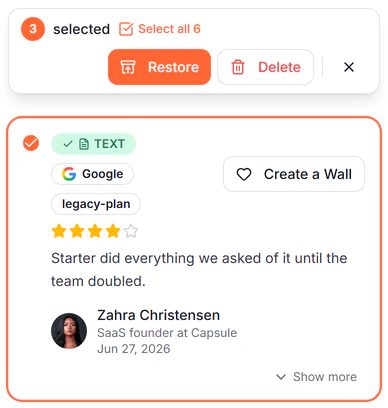
Restore a selection, or all of it, back to where each one was. Restoring stays within your plan's limits, and says so if it can't.
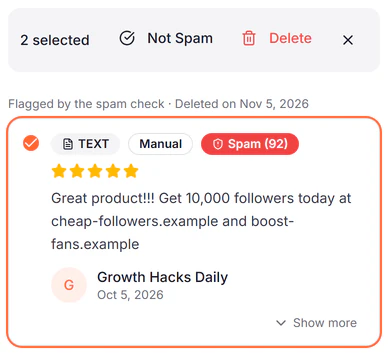
Not Spam puts false positives back; Delete clears the rest. Anything left is deleted 30 days after it was marked.
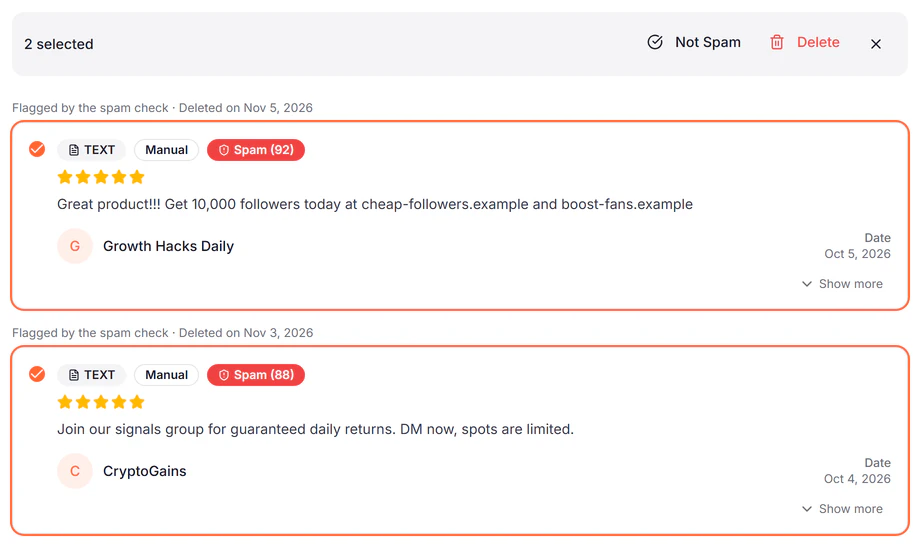
Up to 200 testimonials and 10 languages a run. You see the credits before you start, languages they already have are skipped, and it runs in the background. Translations
| Feature | Free$0 | Pro$29/mo | Premium$49/mo | Business$79/mo |
|---|---|---|---|---|
| The bulk bar: approve, reject, tag, archive, add to a Wall of Love, highlight, delete | ||||
| Select every match of your filters | ||||
| Restore and delete in bulk on Archived and Spam | ||||
| The Bulk delete table | ||||
| Translate in bulk | – | – | – | |
| Teammates with roles | – | – | ||
| Wall of Love pages per project | 1 | 1 | 5 | Unlimited |
Monthly prices, per active project. Bulk actions are on the free plan too, with 10 text and 2 video testimonials. See every plan
One at a time instead? Approve with one key
No. Select all takes every testimonial that matches your filters, however many there are. A large selection is sent 1,000 at a time (100 for Wall of Love actions), one request after another. Translate is the exception: 200 testimonials a run.
Yes. The inbox loads 20 at a time, and when more match, the bar offers Select all with the total. After that it says "(all matching filters)", so you know the action reaches every one.
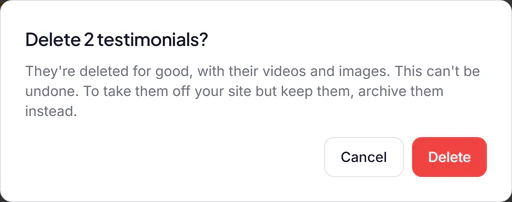
There's no undo button. Rejected and archived testimonials keep their tags and come back with Restore on the Archived page, one at a time or several at once. Delete is permanent, which is why it asks first and tells you how many.
Exactly as they would one at a time. If your approval email is on, each author whose testimonial moves from Pending to Approved gets it. One that was already approved gets nothing new.
Yes, one event per testimonial, as if you'd changed each one by hand: an approval sends testimonial.approved, an archive testimonial.archived. Project webhooks are on Premium and Business.
Approve never approves a testimonial in Spam or in the archive, even when it's in the selection. The message after an action counts what changed, not what you ticked.
The owner, Admins and Members can approve, reject, tag and archive. Wall of Love, Highlight, Delete and Translate are for the owner and Admins. Viewers don't see the bar. Teammates are on Premium and Business.
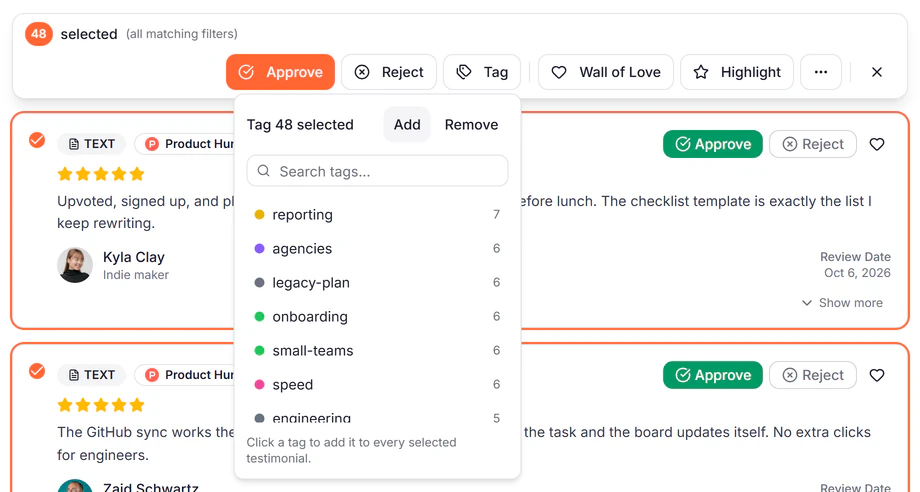
Yes. Select them, click Tag, choose Add or Remove, then click a tag. The selection stays, so you can add several tags in a row. A testimonial that already has the tag isn't counted twice.
Yes. Spam has its own bar with Not Spam and Delete, and Delete All Spam. Anything left there is deleted 30 days after it was marked.
Yes, everything on this page except bulk translation, which is on Business. The free plan holds 10 text and 2 video testimonials, so bulk actions earn their keep once you collect at volume.
Bulk actions are on the free plan too, with 10 text and 2 video testimonials. No credit card.