Testimonial software for course creators
Ask at the win. Show it at the doubt.
Ask each student for a testimonial at the moment they make progress, take their answer on video or in writing, and put each win beside the doubt it answers on your sales page.
Free plan, no card. Paid plans are priced per active project, not per course.
Every buyer has a doubt. Answer it with a student who had it too.
Pick a doubt: the widget is ReTestimonial's own, filled by tag.
SQL in Six Weeks
Answer your own questions with data. Six weeks, live, with office hours.
Is it for me?
This widget's settingAuto-sync · Tags: has any of beginner
Querybird and its students are made up; the students are people our other pages use, and every quote is about the course. A widget per doubt works on every plan (Free holds 2 widgets a project); one widget that changes with each course page is Proof Match, on Premium and up.
Ask at the win, not at the end.
Most students never reach the last lesson, so the end of a course is the worst moment to ask. Ask where the wins happen: inside the course, and when your course platform says a student has made progress.
Inside the course
Put your form in a lesson around the middle of the course, where students have had a first win, and in the last one. Or post its link in your community, or show its QR code at a live session. Forms are on every plan.
From your course platform Premium+
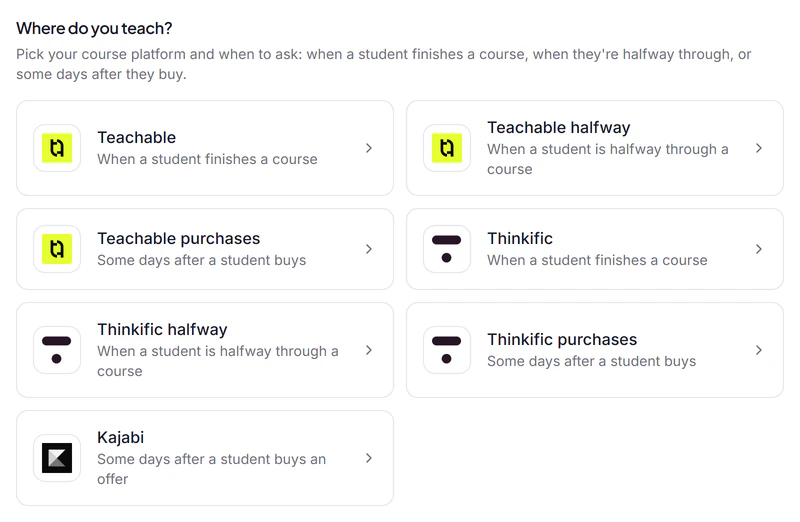
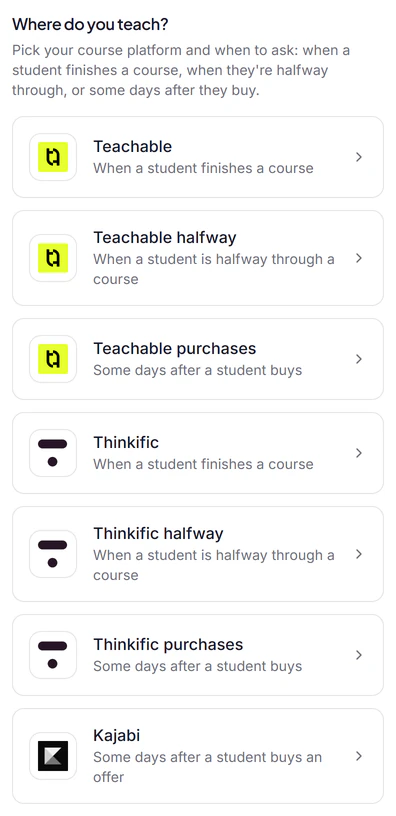
Smart Invites email the ask when Teachable, Thinkific and Kajabi send an event: when a student finishes a course or reaches halfway on Teachable and Thinkific, or some days after they buy. Selling elsewhere? Stripe, Gumroad and Lemon Squeezy have presets too, and a CSV of past students works for your alumni.
500 people a month per project on Premium and 1,000 people a month per project on Business.
Your course platform
When to ask
1 Teachable sends
Enrollment.completed{ "type": "Enrollment.completed", "id": 1234567, "livemode": true, "created": "2026-11-05T14:47:25+00:00", "hook_event_id": 12345678, "object": { "id": 7654321, "user_id": 112233, "course_id": 445566, "completed_at": "2026-11-05T14:47:24+00:00", "user": { "id": 112233, "email": "jo@example.com", "name": "Jo Brown" }, "course": { "id": 445566, "name": "SQL in Six Weeks" } } }
2 ReTestimonial reads it
object.user.emailjo@example.com- Name
object.user.nameJo Brown- Only when
type equals Enrollment.completed- Wait before the first email
- None: it goes as the event arrives
3 Three emails, then it stops
- The askWhen the event arrives
- A reminder3 days later
- One last ask7 days after the first
- They answerEvery email still to come is cancelled
A student already asked in the last 90 days is skipped.
4 The student gets your request
How was your experience with Querybird?

Querybird via ReTestimonial <invites@campaigns.retestimonial.com>
The first Smart Invite email, with the default words. Subject: How was your experience with Querybird?.
Querybird Hi Jo, Thank you for choosing Querybird. Would you share a few words about your experience? It helps us improve, and it helps other people decide. It takes about a minute. Share my experience: https://retestimonial.com/form/querybird/student-stories Querybird sent you this request through ReTestimonial. Unsubscribe: https://retestimonial.com/api/invites/unsubscribe/sample Powered by ReTestimonial: https://retestimonial.com
Teachable doesn't sign its events: the secret in the webhook's address protects it. Your course platform must send webhooks on your plan there.
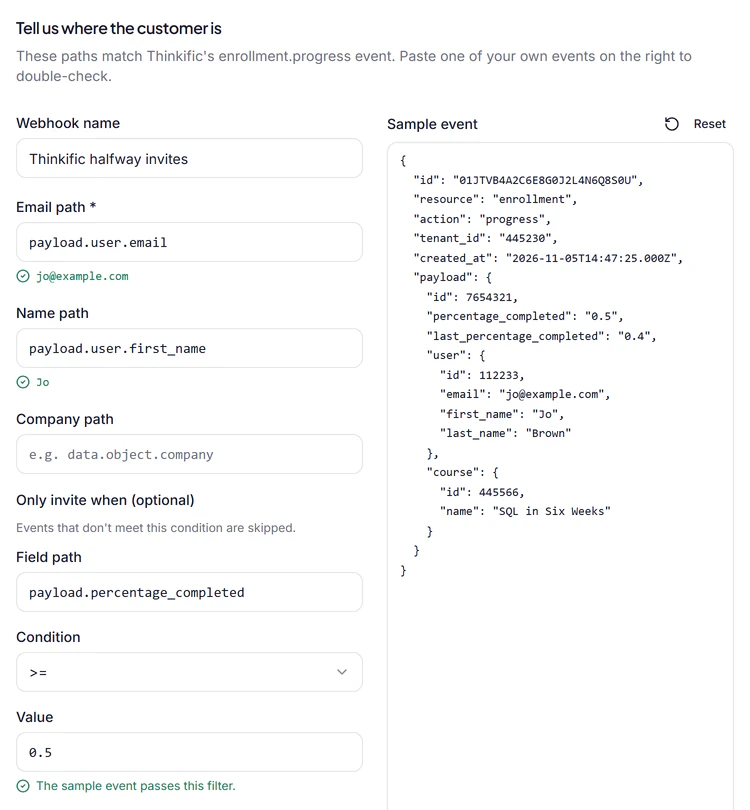
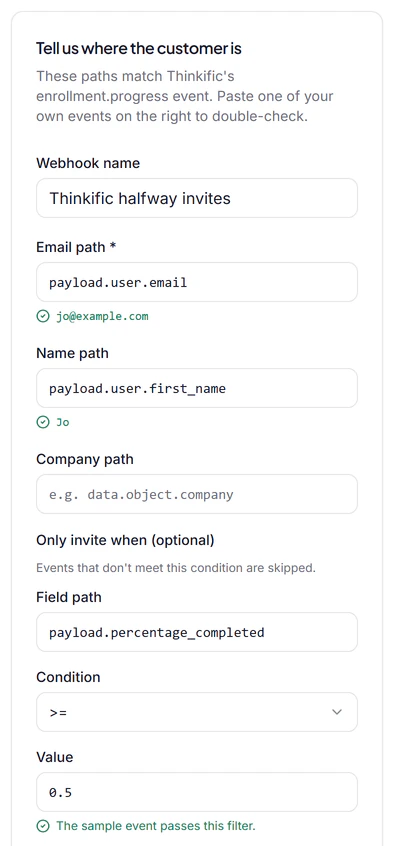
Each choice is a tile of the Smart Invites wizard, on Premium and up, with the event the platform sends and the paths, filter and wait it fills in. The email is the product's default, in Querybird's name. Set it up on Thinkific
A form students finish.
One question that asks for specifics, answered on camera or in writing, in the browser.
- Video or text, their choice
- Recorded in the browser with no app, or uploaded, or written instead. You set each question's longest answer, up to 2 minutes on Free and Pro, 3 on Premium and 5 on Business.
- Questions that get outcomes
- The form starts with “What specific results have you seen?”. Ask what changed in their words: what they can do now that they couldn't before.
- Your face first Pro+
- A welcome video on the first page, recorded by you, so students answer a person.
- Their permission, in their words
- The Consent page is on by default. The sentence a student agreed to is kept with their answer, so rewording the page later never changes what they said yes to.
- A thank-you Pro+
- A coupon code, a link, your own message, or a spin of a prize wheel, on the thank-you page or emailed when you approve. A reward never depends on the rating.
The wins already in your messages.
A student's best line is often a message to you or a post in your community. Bring it in with who said it.
A screenshot becomes a testimonial
Upload it, and its words, the name and the role are read into a Pending testimonial for you to check. On every plan; the picture itself isn't kept.
Posts and videos Premium+
Paste a post's link from X, LinkedIn, Instagram or TikTok. Links to YouTube, Vimeo and Loom videos work on every plan.
From your old tool
Column templates for Senja and Testimonial.to. A CSV file on every plan, and Excel or JSON with rollback from Pro.
From the page they're on, with our browser extension
Save a post or a review from the page it's on, in Chrome or Edge, to your inbox as Pending.
Ask first. Someone who posted in your community never saw your Consent page. Ask them before their words go on a sales page.
Put each win where the doubt is.
The beginner's story sits beside “Is this for beginners?”, and the busy parent's beside the schedule.
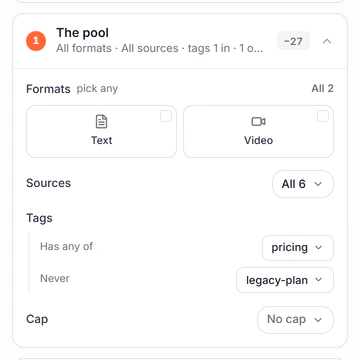
A widget per doubt, or per course
Tag testimonials by course, cohort and the doubt they answer. A widget set to Auto-sync shows only the tags you pick, and new ones join as you approve them.
Every plan · 2 widgets a project on Free
One widget that changes per course page
Proof Match reads each page's tags or address and shows the testimonials that fit it, decided before the widget draws.
Premium and up
A Wall of Love for your link in bio
Every win on one hosted page, for your launch emails and your bio. On your own subdomain from a paid plan.
Every plan · subdomain from Pro
A share page per win
One testimonial or video with its own link and preview picture, to answer a message with one link.
Every plan
On your sales page: Kajabi runs a widget's code in a page's Custom Code block, and so does any page that can run a script. Where a page builder can't, a button can link to your Wall of Love. How, on each course platform
Launch week, from your library.
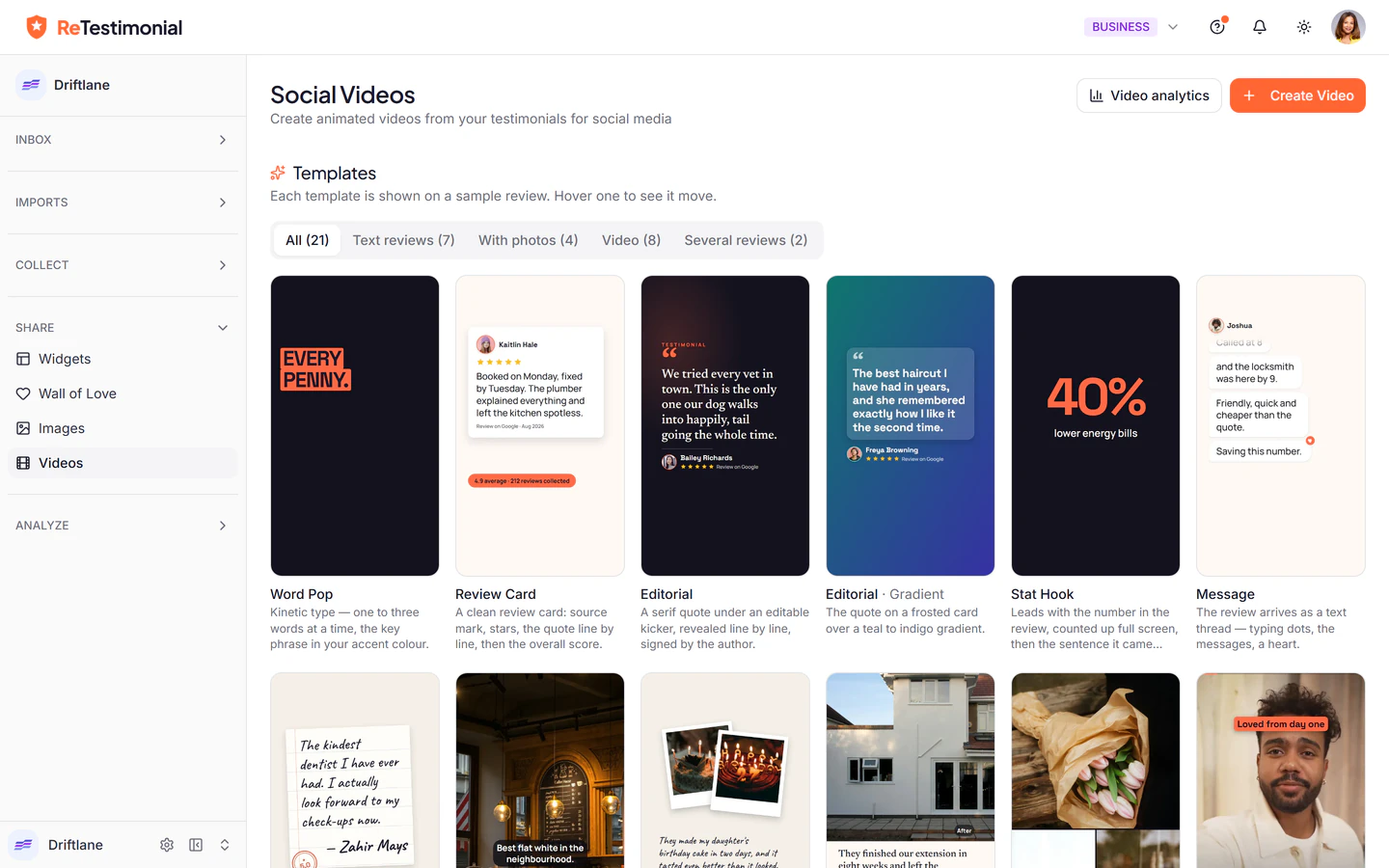
Cart open needs proof every day. Make it from the testimonials you already have.
- Social videos Pro+
- A testimonial turned into a short video in all four shapes, with captions and your branding, on Pro and up. Free makes square, watermarked videos of written testimonials.
- Review Stack Pro+
- Three to five written reviews in one video.
- Customer Montage Premium+
- Two to four students on video in one cut.
- Quote images
- 22 designs on every plan, watermarked on Free.
- A case study Premium+
- One student's long answer, drafted into a case study in their own words. You check it and send it.
You post them. Nothing here schedules or posts for you.
See which wins buyers saw before they enrolled.
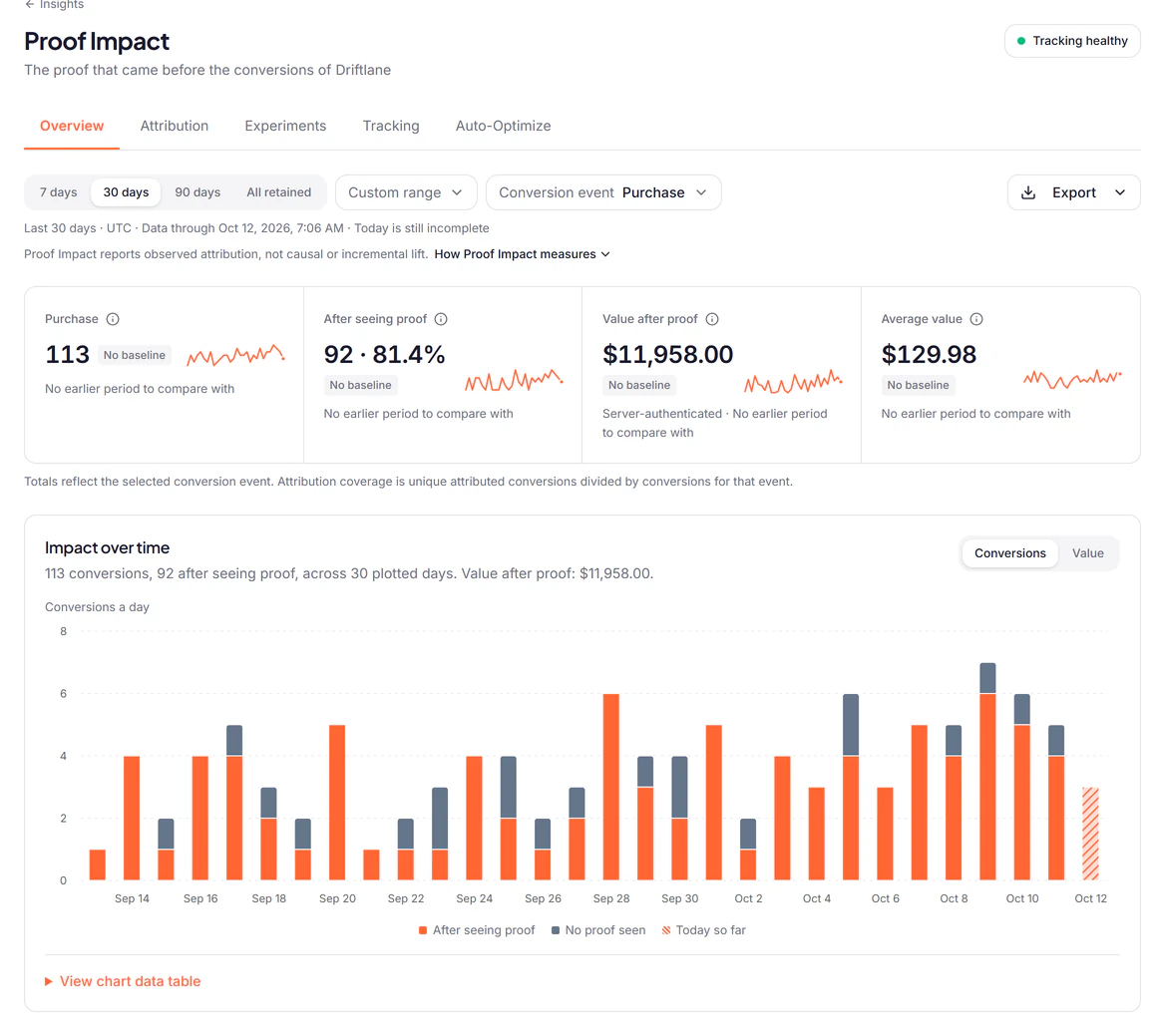
Proof Impact records which testimonials, widgets and pages a visitor saw before your enrolment event: a purchase, a sign-up, or an event of your own.
Proof Impact Premium+
- Observed attribution
- On Premium and up, Proof Impact shows which testimonials buyers saw before configured enrolment events, within the window you give each event (4 hours–30 days per event), with last-touch, first-touch or fractional credit. What came before, not what caused it; on Business, an experiment holds the widget back from some visitors to measure the difference.
- On a hosted checkout
- It counts an enrolment where our script runs on your thank-you page, or when your server sends the order. On a checkout that runs no outside script, it can't.
- Views and plays
- Widget views and top pages from Pro; video plays and an estimated watch time from Pro. The Monthly report puts a month on one page, on every plan.
Proof that holds up.
Course buyers have seen fake screenshots and income claims. What you publish should survive a second look.
Not legal advice. You decide what you publish.
- They said yes. The Consent page is on by default, and the sentence each student agreed to is kept with their answer.
- You approve first. Every answer arrives as Pending, and by default a low rating goes to private feedback.
- Thanks never depend on the rating. A reward never turns on the stars or the words a student gives, as the FTC's rule on reviews and testimonials expects.
- Income results need care. A student's “my first five-figure month” reads as what other students get, and the FTC's endorsement guides say “results not typical” isn't enough. Lead with outcomes most students reach, and say what's typical.
- Free seats count. Beta or founding students who studied free or at a discount: say so beside their words.
- Gone when asked. Deleting a testimonial deletes its video, photos and the details the student sent.
What each plan gives a course creator.
| Feature | Free$0 | Pro$29/mo | Premium$49/mo | Business$79/mo |
|---|---|---|---|---|
| Written testimonials | 10 in all | Unlimited | Unlimited | Unlimited |
| Video testimonials | 2 in all | 10 per project | Unlimited | Unlimited |
| Longest video answer | 2 min | 2 min | 3 min | 5 min |
| Forms per project | 1 | 3 | 5 | Unlimited |
| Welcome video | – | |||
| Transcripts (English) | – | |||
| Rewards for a testimonial | – | |||
| Smart Invites, people a month per project | – | – | 500 | 1,000 |
| Social post links | – | – | ||
| Widgets per project | 2 | 10 | 20 | Unlimited |
| Widget types | 4 | 8 | 8 | 8 |
| Proof Match per course page | – | – | ||
| Social video shapes | 1:1 | All 4 | All 4 | All 4 |
| Captions on clips | – | |||
| Review Stack | – | |||
| Customer Montage | – | – | ||
| Proof Impact | – | – | ||
| Your own subdomain | – | |||
| No ReTestimonial line on widgets | – | |||
| Translations | – | – | – |
Monthly prices, per active project: one project holds all your courses. Every plan: forms with video, the inbox, tags, auto-sync widgets, the Wall of Love, share pages and the CSV export. See every plan
Questions course creators ask
One project, or one per course?
One project per brand. Tag each testimonial with its course, and give each course a form and a widget of its own: 1 form on Free, 3 forms on Pro, 5 forms on Premium and unlimited forms on Business. Every paid plan is priced per active project.
Does it work on Kajabi, Teachable or Thinkific?
The form works on all three, as a link or inside a lesson. Teachable, Thinkific and Kajabi each have a Smart Invites webhook on Premium and up. For the sales page, Kajabi runs a widget's code in its Custom Code block; Teachable and Thinkific don't say whether their page blocks do, so a button can link to your Wall of Love instead.
Can I ask when a student finishes the course, or halfway?
Yes, where your course platform sends that event: Teachable and Thinkific send one when a course is finished and as a student moves through it. Kajabi sends only a purchase, so it asks some days after one. On any platform, put the form in the lesson where you want to ask.
Do students need an app to record a video?
No. They record in the browser, or upload a file, or write instead. You set each question's longest answer, up to 2 minutes on Free and Pro, 3 on Premium and 5 on Business.
Can I use screenshots of messages from my community?
Yes. Upload a screenshot and its words, name and role are read into a Pending testimonial for you to check; the picture itself isn't kept. That person didn't answer your consent page, so ask them before you put their words on a sales page.
Can I thank students with a reward?
From Pro: a coupon code, a link, your own message, or a spin of a prize wheel, shown on the thank-you page or emailed when you approve. A reward never depends on the rating.
What about testimonials that mention income?
A student's income result reads as what other students get, and the FTC says "results not typical" isn't enough. Lead with outcomes most students reach, say what's typical, and say so when a student studied free or at a discount. You decide what you publish; this isn't legal advice.
I'm moving from Senja or Testimonial.to.
Export your testimonials there and import the file: the importer has column templates for both, and everything waits as Pending. CSV works on every plan, and Excel and JSON from Pro.
What does the free plan hold?
10 written and 2 video testimonials, 1 form, 2 widgets of 4 types and a Wall of Love, in one project, with no card.
Who owns the testimonials, and can a student take theirs down?
You do: export them as a CSV on every plan. When a student asks, delete their testimonial; its video, photos and the details they sent go with it.
Your next cohort's proof starts free.
Put the form in your next lesson today. Add the automatic ask when your course platform can send it.