Custom domains
Your proof.
Your address.
Put your testimonial forms and Wall of Love on a subdomain you own, like reviews.yourbrand.com. Add two DNS records, and every link, QR code and search tag your customers see follows on its own.
Custom domains are on Pro, Premium and Business, one per project. No credit card to start.
Two records, then it's yours.
Type a subdomain and click Connect domain: you'll see the two DNS records the product asks for, and the statuses it moves through until your domain is live.
- Waiting for DNS
- Verifying
- Connected
A copy of the Domain settings: nothing you type leaves this page.
The ask is personal. The address should be yours.
You're asking a customer to put their name, face and words on the record. A link on your own domain reads as you asking, not a tool they've never heard of.
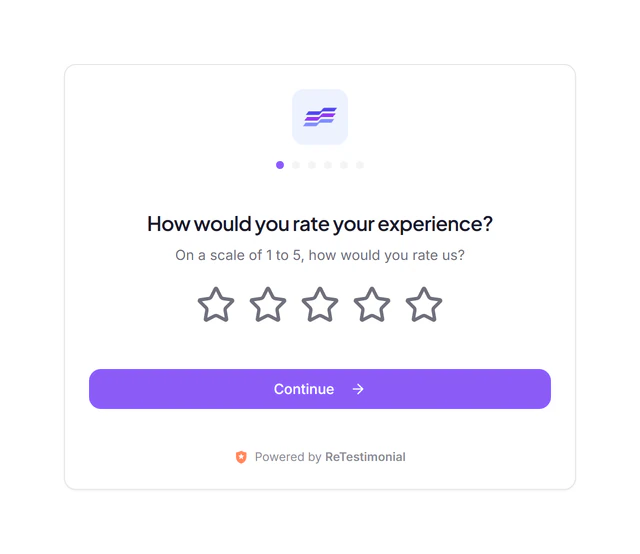
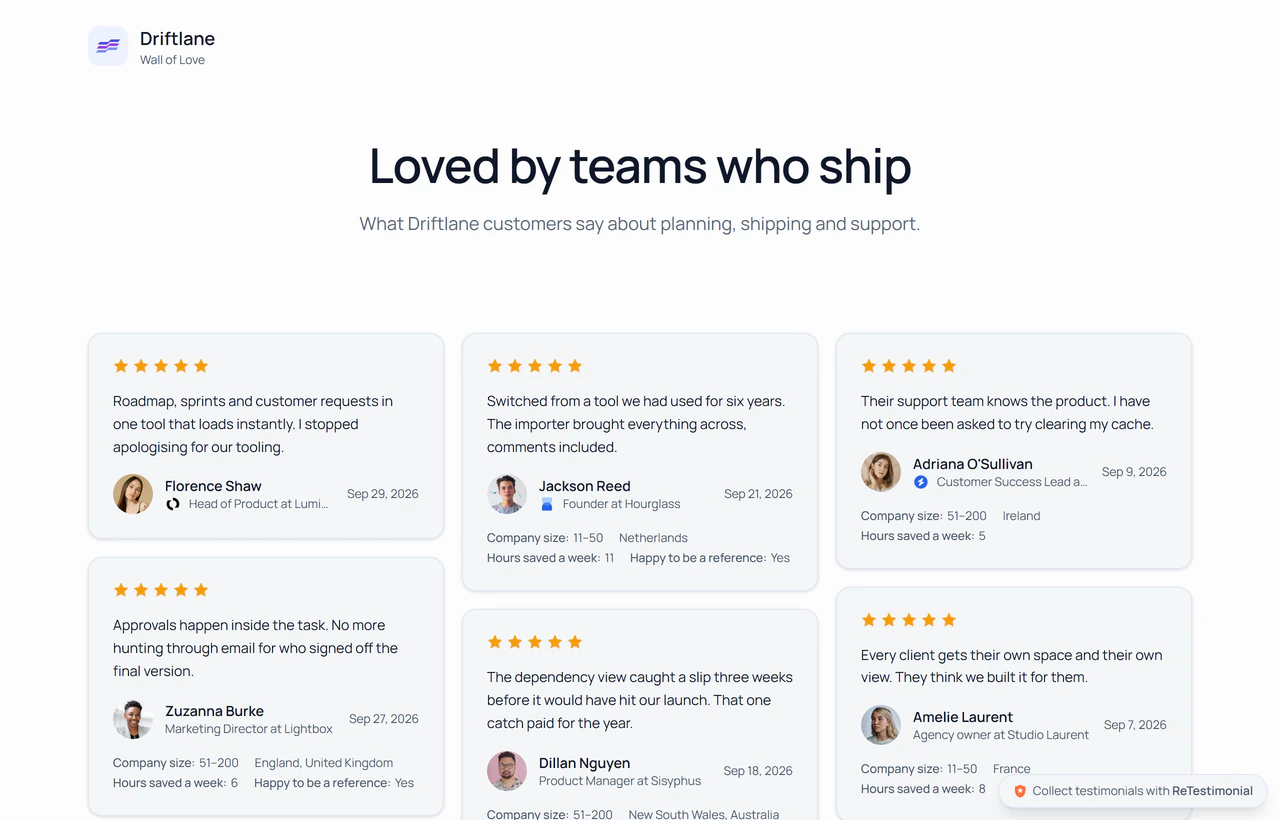
One form, two addresses: retestimonial.com/form/driftlane without a domain, and reviews.driftlane.app with one. Your domain serves exactly this page. Driftlane is our made-up demo project.
- On every link you hand out
- Email signatures, bios, receipts, the QR code by the till: one address, and it's yours.
- Print it once
- The bare address always opens your default form. Change which form that is with Set as Default, and the sticker stays right.
- Search tags point home
- Your forms and walls tell search engines and link previews that their address is on your domain. On Business, review stars in search results use it too.
You don't need to know DNS. You'll paste two lines.
Add them where your domain's DNS is managed, often the company you bought it from. The Domain page gives you both, with copy buttons.
- CNAME points reviews.driftlane.app at us
- Its value is always domains.retestimonial.com.
- TXT proves the domain is yours
- Its name is _cf-custom-hostname.reviews.driftlane.app, and its value is made for your domain each time you connect it: copy it from the page.
- Anything marked Optional
- The page may list SSL records marked Optional. You don't need them.
Some DNS providers want only the first part of the name. The guide covers it: Use your own domain for forms and your Wall of Love
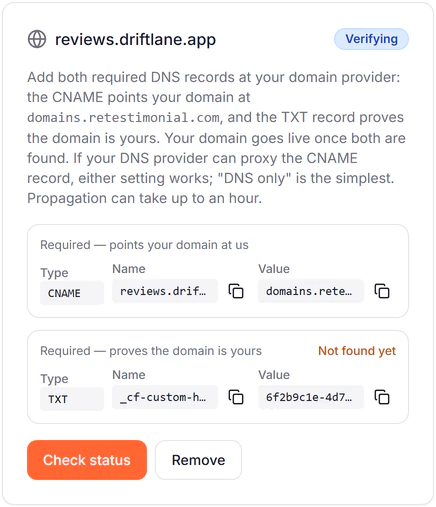
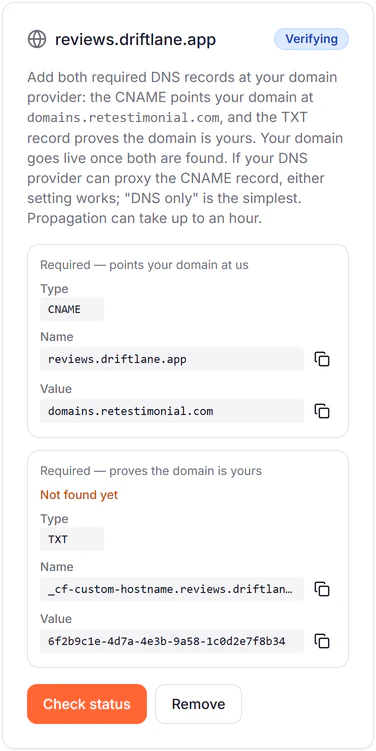
Three badges, and you always know which one you're on.
- Waiting for DNS
Your CNAME record hasn't been found yet.
- Verifying
The CNAME was found. The certificate is being issued, and the TXT record looked for.
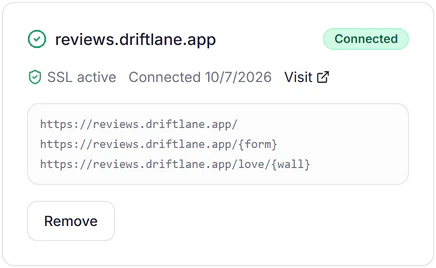
- Connected
Live, with SSL active. You get a notification.
- We keep checking
- Every 5 minutes until it connects, or now with Check status. Once it's live, it's checked again every day.
- SSL is done for you
- The certificate is issued and renewed for you. Nothing to buy, nothing to renew.
- Nobody else can claim it
- Your domain goes live only once we find your TXT record ourselves, so a subdomain that still points at us can't be connected by another account.
Not connected after 14 days? It shows Failed with the reason. Fix the records and click Retry: the CNAME stays, and the TXT record gets a new value to paste.
Your forms and your wall. Nothing else.
Three kinds of address, all on your domain, the moment it says Connected.
- reviews.driftlane.app/your default collection form
- reviews.driftlane.app/{form}a specific form
- reviews.driftlane.app/love/{wall}a Wall of Love
- It all works there
- Text and video answers, multi-clip recordings, invite links and your form's analytics.
- Walls stay current
- Your wall is refreshed when you approve, edit or remove a testimonial, or change the wall.
- Search engines are welcome
- Your domain tells them they may read it. Anything that isn't a form or a wall answers with a plain Page not found.
Your dashboard, widget embed codes and testimonial share pages keep their retestimonial.com addresses. A share page's button opens your form on your domain. More about forms and the Wall of Love.
Give your next ask your own address.
Start free — no cardConnect once. Every link follows.
While your domain is connected, every link the product writes uses it. Remove it, and they all go back. Nothing to find and replace.
Every link below uses your domain.
Form link
The forms list, the form's share dialog and builder, the setup page and Proof Gaps' requests
reviews.driftlane.app/customer-stories
QR code
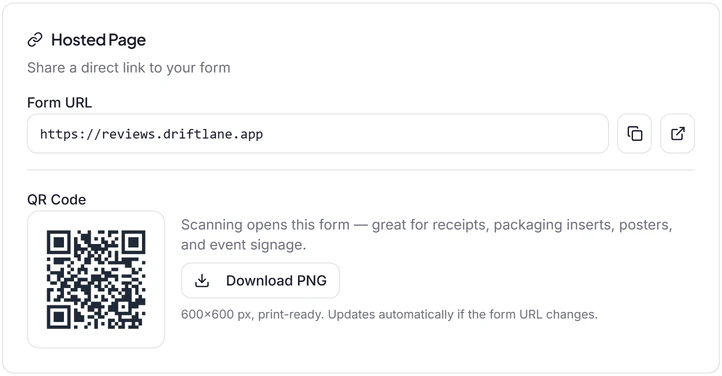
The form's share dialog, ready to download for print
reviews.driftlane.app
Wall of Love link
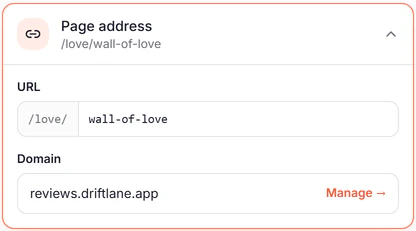
The wall builder's Share menu and the Wall of Love page
reviews.driftlane.app/love/wall-of-love
Search and social tags
The address your forms and walls give search engines and link previews
reviews.driftlane.app › love › wall-of-love
Invite email button
Premium and BusinessOpened when it's clicked, so emails sent before you connected land on your domain too
reviews.driftlane.app/customer-stories
Share page button
The button under a testimonial's share page opens your form on your domain
reviews.driftlane.app/customer-stories
No lock-in. Your old links never stopped working.
Your pages keep their retestimonial.com addresses the whole time.
- Remove it
- Every link the product writes goes back to retestimonial.com. Links you copied or printed with this domain, and form links written into the text of invite emails, will stop working. Your pages stay at their retestimonial.com addresses, and the buttons in invite emails open them there.
- Change plans
- On a plan without custom domains, the domain is switched off, not deleted. Re-enable keeps your CNAME and gives the TXT record a new value to paste.
- A payment fails
- Your domain keeps serving for 30 days, as your widgets and walls do, then it's switched off until billing is fixed.
A domain for every brand you run.
Each project has its own domain, so each client's forms and wall live at an address of their own, like love.theirbrand.com.
On Pro, Premium and Business you can also turn off the Powered by line on forms and walls, so the page speaks for the brand alone.
On Pro, Premium and Business.
| Feature | Free$0 | Pro$29/mo | Premium$49/mo | Business$79/mo |
|---|---|---|---|---|
| Your own subdomain for forms and Walls of Love | – | 1 per project | 1 per project | 1 per project |
| SSL certificate, issued and renewed for you | – | |||
| Turn off the Powered by line | – | |||
| Walls of Love per project | 1 | 1 | 5 | Unlimited |
| Invite emails that open your form on your domain | – | – | ||
| Review stars in search results, on your domain | – | – | – |
Monthly prices, per active project. Paid yearly, a year costs 10 months. Invite emails are Smart Invites, on Premium and Business. See every plan
Questions
Can I use my root domain, like yourbrand.com?
No: a custom domain is a subdomain, such as reviews.yourbrand.com or love.yourbrand.com. Pick one your website doesn't use, because once it's connected it shows only your forms and Wall of Love.
Which DNS records do I add?
Two. A CNAME that points your subdomain at us, and a TXT record that proves the domain is yours. The Domain page shows both, with copy buttons, and marks any others as optional.
Where do I add them?
Wherever your domain's DNS is managed, often the company you bought it from. Some DNS providers want only the first part of the name (reviews) and add the rest themselves; the guide covers it.
How long does it take?
Adding the records takes a few minutes, and DNS changes can take up to an hour to spread. We check every 5 minutes, and you can click Check status at any time. A domain that hasn't connected after 14 days shows Failed, with the reason.
Do I need to buy an SSL certificate?
No. The certificate is issued and renewed for you, and the Domain page says SSL active once it's done.
What does my domain show?
Your default collection form at its root, each form at its own path and your Wall of Love under /love/. Anything else is a plain Page not found.
Do my widgets, share pages and dashboard move to my domain?
No. Widget embed codes, testimonial share pages and your dashboard keep their retestimonial.com addresses. A share page's button opens your form on your domain.
Will the links I already shared stop working?
No. Your retestimonial.com addresses keep working while the domain is connected; the links the product gives you switch to your domain.
Do invite emails use my domain?
On Premium and Business, the button in an invite email opens your form on your domain, decided when it's clicked. The emails are still sent by us, in your project's name.
What happens if I remove the domain or change plans?
Every link the product gives you goes back to retestimonial.com. What stops working is a link you copied or printed with your domain in it. On a plan without custom domains the domain is switched off, not deleted; Re-enable keeps your CNAME and gives the TXT record a new value. After a failed payment it keeps serving for 30 days, as your widgets and walls do.
Can someone else connect my subdomain?
No. A domain goes live only once we find your TXT record in your DNS, so a subdomain that still points at us can't be taken by another account.
How many domains can I connect?
One per project, on Pro, Premium and Business. Each client or brand in its own project can have its own.
The next link you share can be yours.
Custom domains are on Pro, Premium and Business, one per project. No credit card to start.